
Proof it saved
A saved confirmation shows the recording's length and size.
 Notewright
Summaries and cited answers
Meeting notes you can check.
Record meetings. Get a transcript, AI summary and action items you can check.
AI-written · may contain mistakes For adults 18 and older
Coming soon on the App Store and Google Play.
Play the film with soundA 10-second film. Made with AI.
It records what the microphone hears in the room.
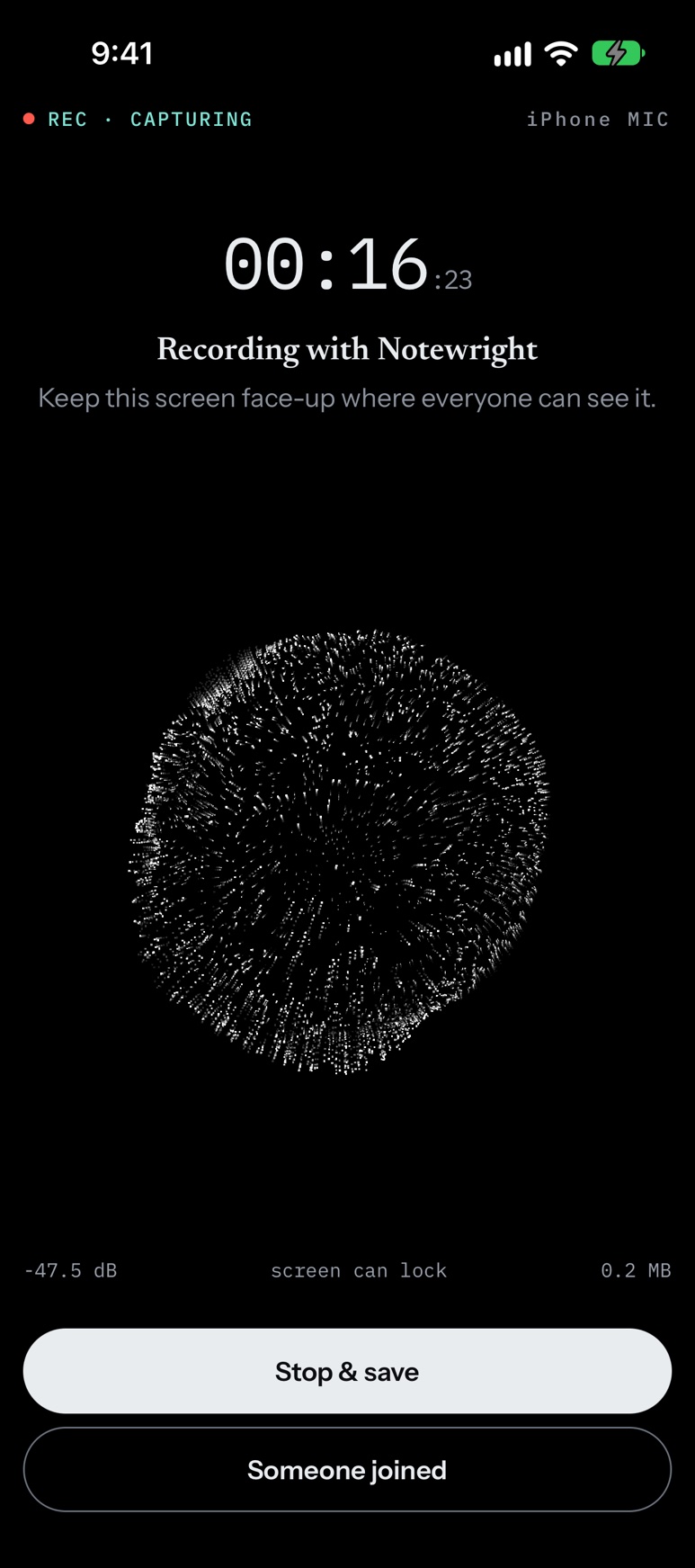
Records a meeting on your phone, and keeps recording with the screen locked.
A live sound visual (an orb) and a sound level show the microphone is hearing the room.
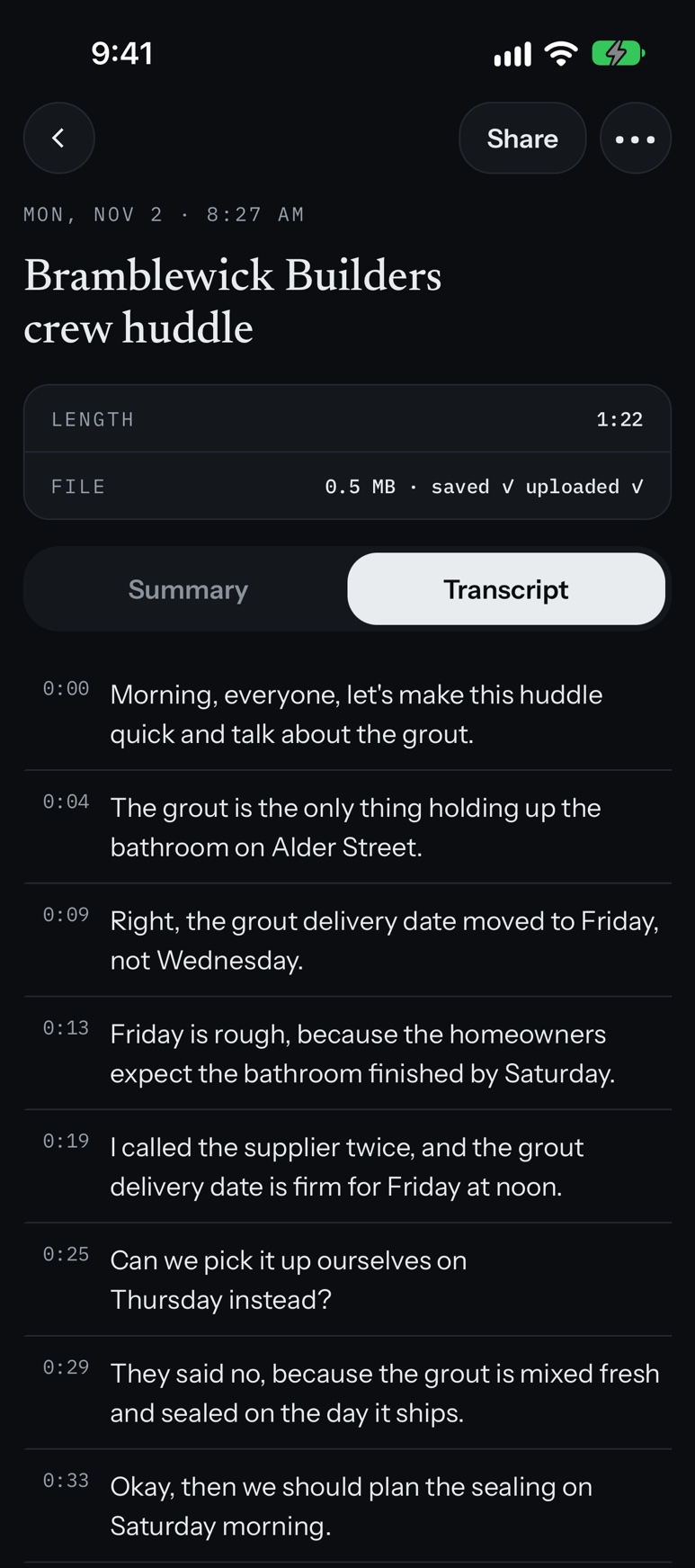
Transcribe: turn the recording into a written transcript.
Nothing is sent for transcription or a summary unless you turned cloud notes on.
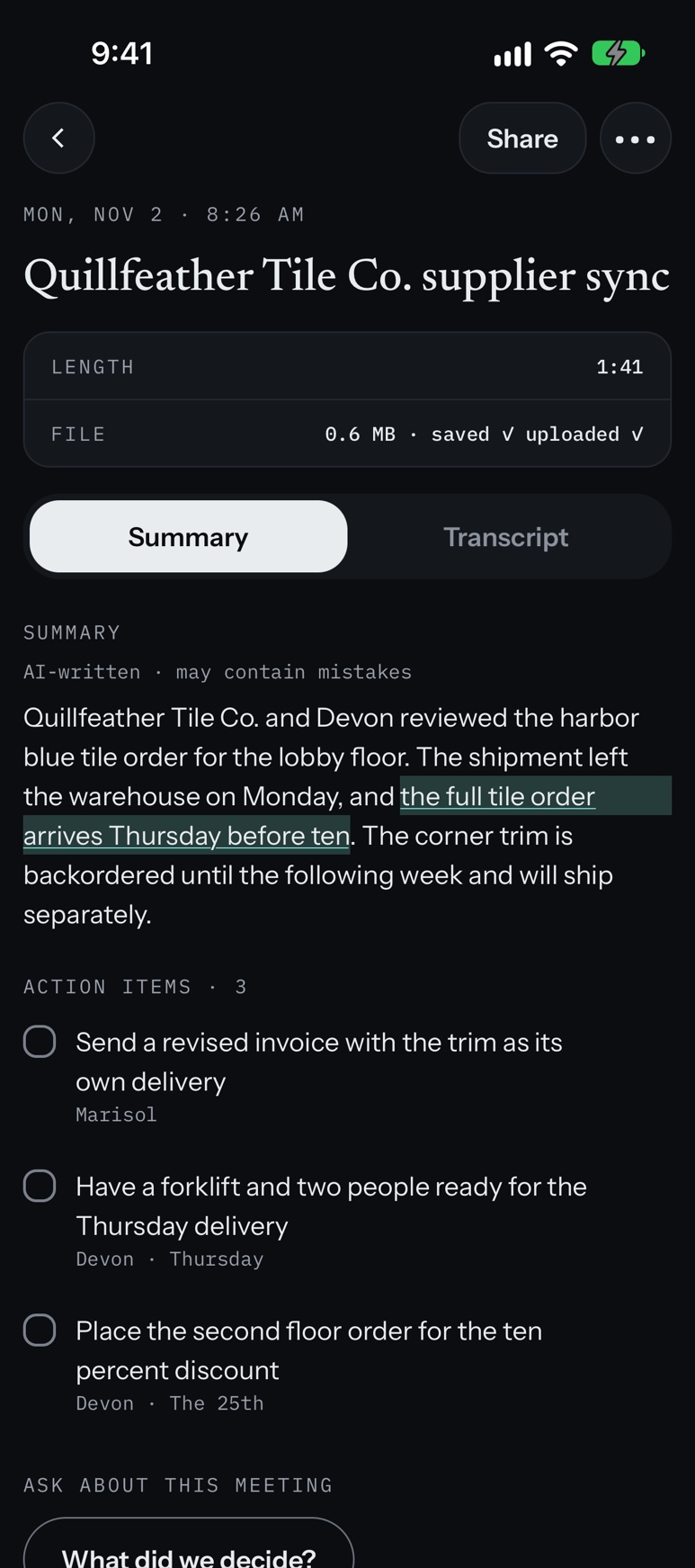
AI summary and action items
AI writes summaries, action items and answers. AI can make mistakes. Check the transcript or recording.
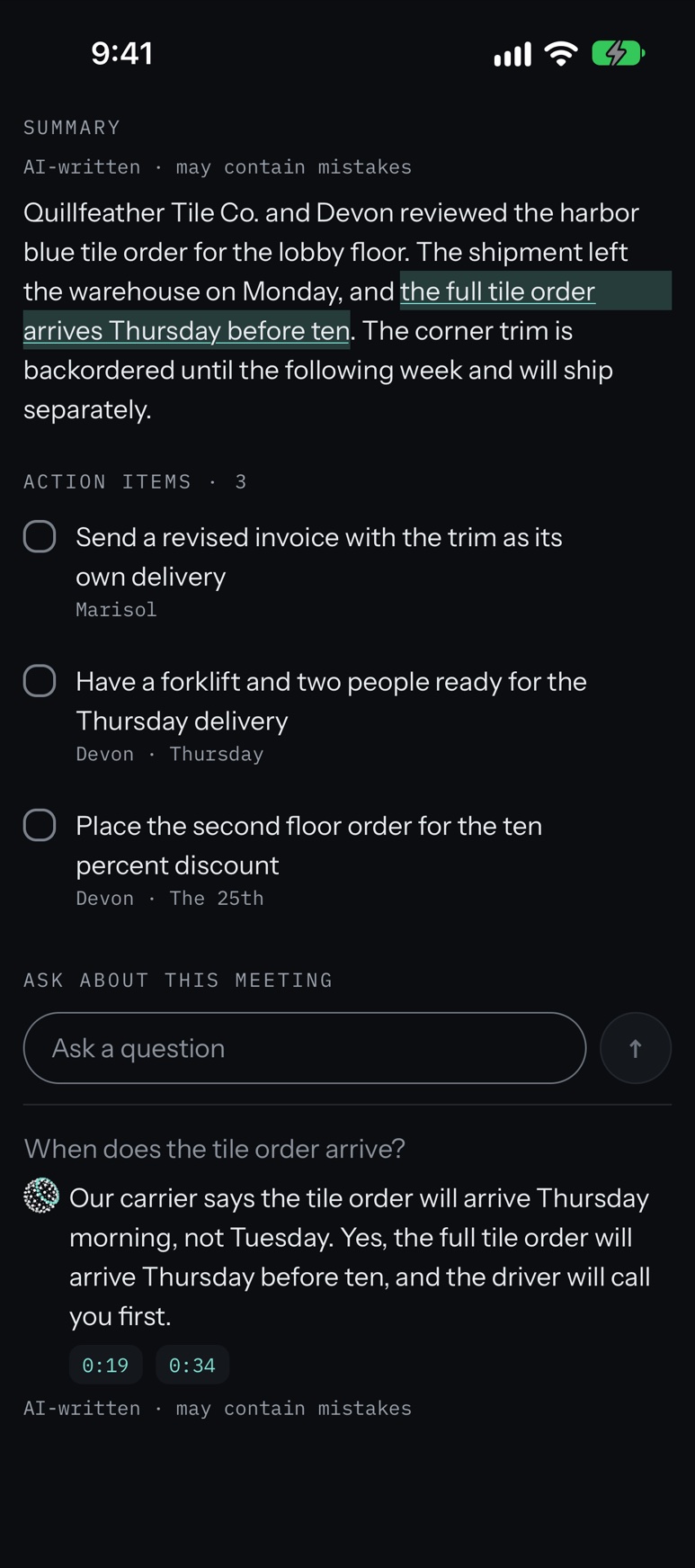
Ask: ask about one meeting and get an answer with citations. A citation opens the transcript line it points to.
Answers are written by AI from this meeting's transcript and may contain mistakes.
With cloud notes on and signed in, the audio is uploaded, and Notewright writes the transcript (with timings), summary and action items after you stop.
It records your meeting, transcribes it, summarizes it, and answers your questions about it with citations.
A saved confirmation shows the recording's length and size.
Ask: ask about your meeting and get answers with citations.
Sign in with Apple or an emailed link. No password.
Your next charge date and price are shown inside the app.
Your choice
If you leave cloud notes off, the recording, title, transcript, summary, and tasks stay on your phone.
Nothing is sent for transcription or a summary unless you turned cloud notes on.
You sign in only if you turn on cloud notes.
Your choice
Product analytics is off until you turn it on.
Required
If you are under 18, the app blocks you and remembers that block on the phone. We do not save the birth year, month, or day.
Always on
Crash reports are always on. There is no switch to turn them off.
$6.99 a week
Auto-renewing
$14.99 a month
Auto-renewing
$99.99 a year
Auto-renewing
Notewright is for people 18 and older. Summaries, action items, and answers are written by AI and can contain mistakes.
It records your meeting, transcribes it, summarizes it, and answers your questions about it with citations.
Notewright records a meeting on your phone, and keeps recording with the screen locked. It records what the microphone hears in the room.
Yes. AI writes summaries, action items and answers. AI can make mistakes. Check the transcript or recording.
Notewright is for people 18 and older. If you are under 18, the app blocks you.
You sign in only if you turn on cloud notes. Sign in with Apple or an emailed link. No password.
Notewright requires an auto-renewing subscription: $6.99 a week, $14.99 a month or $99.99 a year (U.S. prices). Setup includes one recording of up to 60 seconds; after setup, recording and Ask need a subscription. See the plan terms above.
Coming soon on the App Store and Google Play.